|
|

楼主 |
发表于 2024-12-8 06:50
|
显示全部楼层
本帖最后由 亚伦影音工作室 于 2024-12-8 06:47 编辑
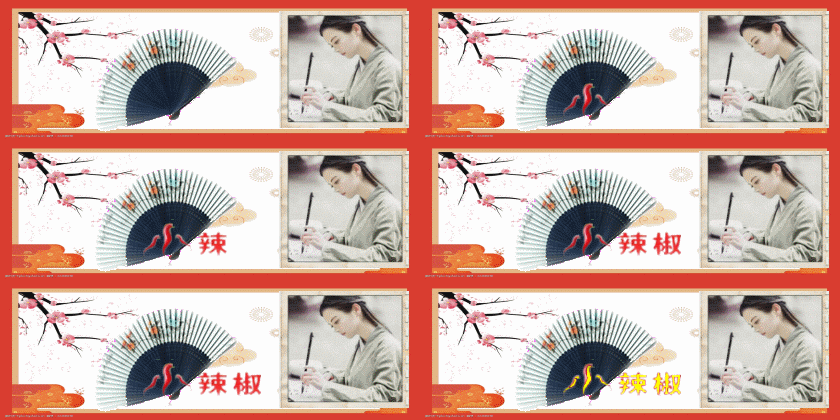
上边是效果
说白了就是一张静图和一张动图通过按钮相互切换。可以用在制作音画和播放器暂停和播放按钮上,当然你可以展开想象充分利用。动图和静图的来源我想说说,如果是智能手机有截取视频功能,在获取动图的时候别忘了获取静图,把一静一动的图发送到你的电脑上,再上传图床网盘获取地址,就能用了,这里我也不想多说,大家都是行家!
全部代码如下
<style>
#cndpt{margin: 0px -200px ; opacity:1;
position: relative;width: 960px; height: 520px;
background: url(动图地址)no-repeat center/cover; }
#enopg{
position: relative;width: 960px; height: 520px;
background: url(静图地址)no-repeat center/cover;
display:none;
}
#mypic{top:12%; left:85%;background: url(播放器按钮图地址)no-repeat center/cover;cursor: pointer;width:120px;height: 120px;animation:rot 10s linear infinite;position: absolute;filter:drop-shadow(#fff 1px 0px 1px );z-index: 40;}
@keyframes rot { to { transform: rotate(2turn);} }
#but {width: 120px; height: 120px;}
</style>
<div id="cndpt">
<div id="enopg"></div>
<div id="mypic">
<div id="but"></div>
</div>
</div>
<audio id="aud" src="https://s2.ananas.chaoxing.com/sv-w9/audio/2c/87/32/ba6553bd63371ae2278151692c413526/audio.mp3" autoplay loop></audio>
<script >
function pic(){
var imgElement= document.getElementById('enopg');
if (imgElement.style.display === 'none' || imgElement.style.display === '') {
imgElement.style.display = 'block';
} else {
imgElement .style.display = 'none';
}
}
mypic.onclick = () => aud.paused ?(aud.play()):(aud.pause());
aud.addEventListener('play', () => mState());
aud.addEventListener('pause', () => mState());
mypic.style.animationPlayState = aud.paused ? 'paused' : 'running';
aud.addEventListener('playing', () =>mypic.style.animationPlayState = 'running');
aud.addEventListener('pause', () =>mypic.style.animationPlayState = 'paused');
</script >
你可根据需要修改参考一下!
|
评分
-
| 参与人数 1 | 威望 +50 |
金钱 +100 |
经验 +50 |
收起
理由
|
 红影 红影
| + 50 |
+ 100 |
+ 50 |
赞一个! |
查看全部评分
|









 发表于 2024-12-8 06:50
 提升卡
提升卡 置顶卡
置顶卡 沉默卡
沉默卡 喧嚣卡
喧嚣卡 变色卡
变色卡 千斤顶
千斤顶 显身卡
显身卡


 发表于 2024-12-8 09:19


 发表于 2024-12-8 19:51